> ## Documentation Index
> Fetch the complete documentation index at: https://docs.mayil.ai/llms.txt
> Use this file to discover all available pages before exploring further.
# Configuring Mayil
Various integrations and resources need to be set up for Mayil to be fully functional. All configurations are made through [Hashicorp Vault](https://www.vaultproject.io/), a secret management tool running on the deployment we just installed.
## Using Vault
Vault should run on the base domain we deployed Mayil to in the previous step (such as `mayil.companyname.com`). When opened for the first time, you should see a login page like this-
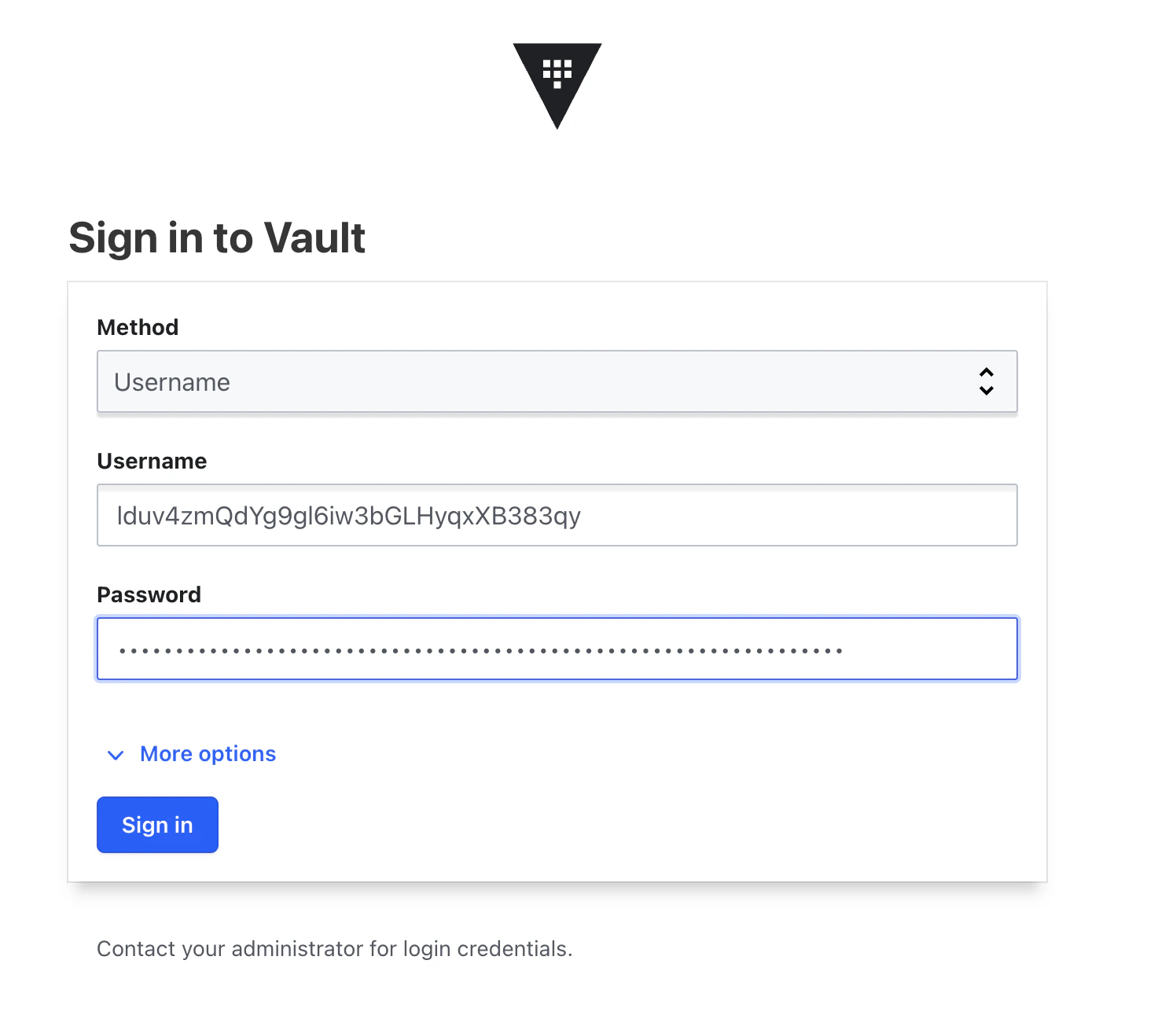 We will use the `username` method to login. Use `envVars.CLIENT_ID` and `envVars.CLIENT_SECRET` provided in `values.yaml` in the helm installation package you received from us.
Please update this default username and password after logging in. Vault supports most popular methods including GitHub, LDAP, AppRole, and more. See [here](https://developer.hashicorp.com/vault/docs/concepts/auth).
Once logged in, under `Secrets Engine`, open mayil ➤ data ➤ user\_config. You should see something like this-
We will use the `username` method to login. Use `envVars.CLIENT_ID` and `envVars.CLIENT_SECRET` provided in `values.yaml` in the helm installation package you received from us.
Please update this default username and password after logging in. Vault supports most popular methods including GitHub, LDAP, AppRole, and more. See [here](https://developer.hashicorp.com/vault/docs/concepts/auth).
Once logged in, under `Secrets Engine`, open mayil ➤ data ➤ user\_config. You should see something like this-
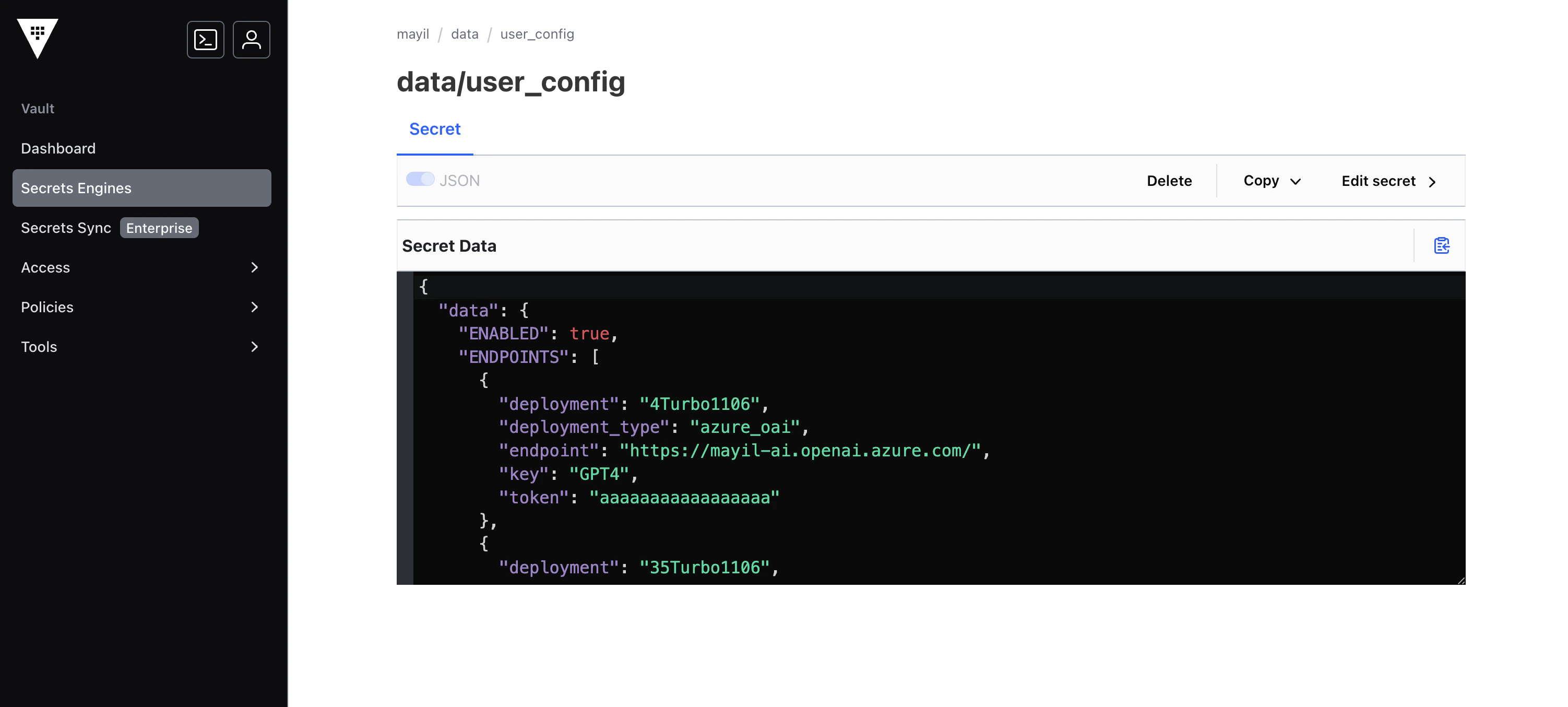 This file contains all the configuation options for Mayil. When installing integrations, this file will have to be modified with details about that integration. Every time this file gets updated, Mayil will refresh.
# Verifying config values
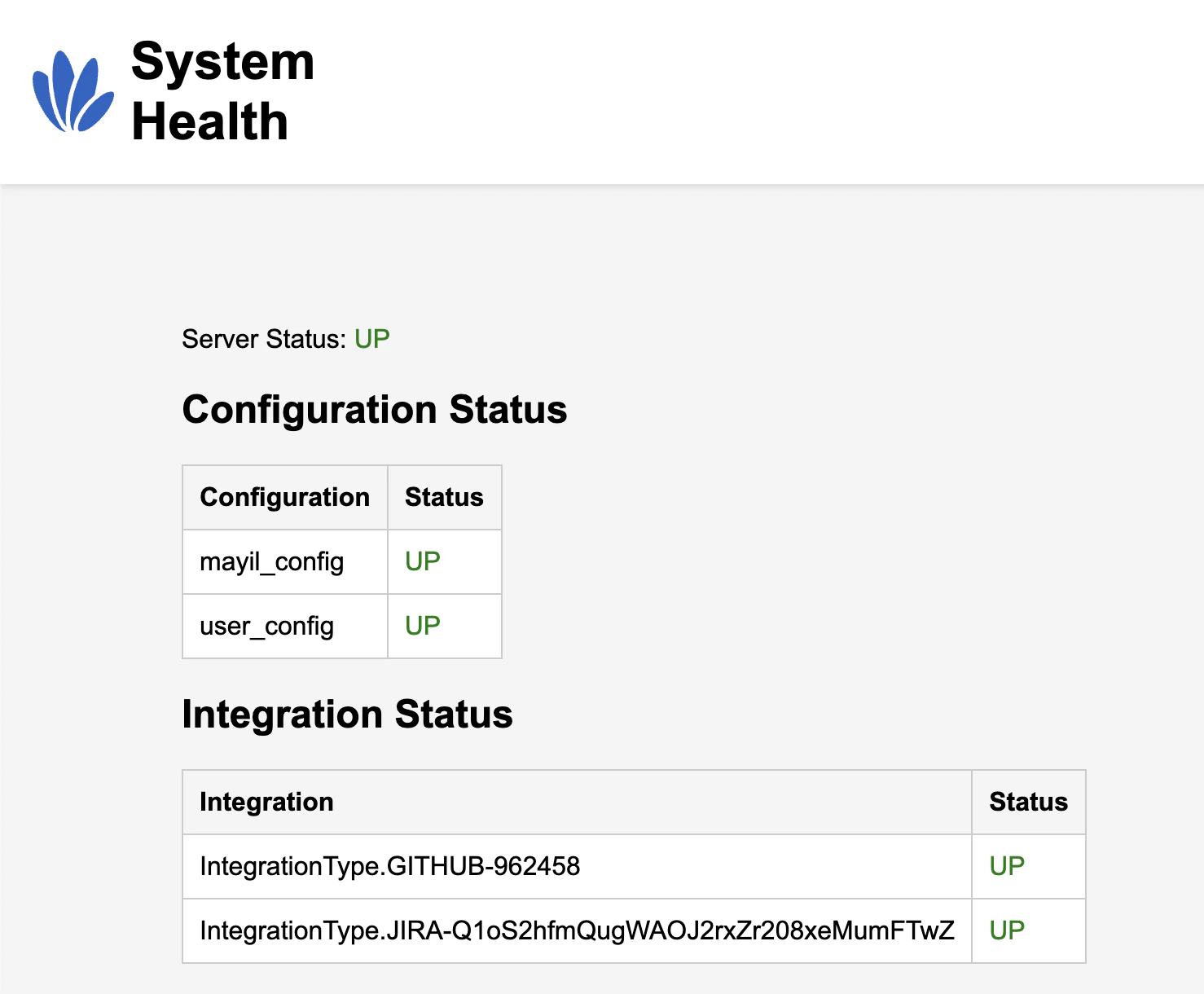
Go to `/api/health` (such as \`[https://mayil.companyname.com/api/health](https://mayil.companyname.com/api/health)) to see the status of the configuration. Any errors in the config will also be listed there. When config is valid, you will see something like-
This file contains all the configuation options for Mayil. When installing integrations, this file will have to be modified with details about that integration. Every time this file gets updated, Mayil will refresh.
# Verifying config values
Go to `/api/health` (such as \`[https://mayil.companyname.com/api/health](https://mayil.companyname.com/api/health)) to see the status of the configuration. Any errors in the config will also be listed there. When config is valid, you will see something like-
 ## Sample configuration
Here is a sample config file-
```
{
"data": {
"ENABLED": true,
"ENDPOINTS": [
{
"deployment": "4Turbo1106",
"deployment_type": "azure_oai",
"endpoint": "https://mayil-ai.openai.azure.com/",
"key": "GPT4",
"token": ""
},
{
"deployment": "35Turbo1106",
"deployment_type": "azure_oai",
"endpoint": "https://mayil-ai.openai.azure.com/",
"key": "GPT3",
"token": ""
},
{
"deployment": "GPT4O",
"deployment_type": "azure_oai",
"endpoint": "https://mayilus.openai.azure.com/",
"key": "GPT4O",
"token": ""
},
{
"deployment": "embedding",
"deployment_type": "azure_oai",
"endpoint": "https://mayil-ai.openai.azure.com/",
"key": "EMBEDDING",
"token": ""
}
],
"EXTERNAL_DOCUMENTATION_SOURCES": [""],
"GIT_REPOS": [
{
"git_url": "https://github.com/ORGNAME/REPONAME",
"repo_name": "ORGNAME/REPONAME",
"repo_summary": "Small python program to calculate the area of different shapes",
"tags": [],
"tracker_ids": [
"My Kanban Project"
]
}
],
"INTEGRATIONS": [
{
"integration_type": "github",
"identifier": "962458",
"organization_id": "Mayil-AI",
"secret": ""
},
{
"integration_type": "jira",
"identifier": "Q1oS2hfmQugWAOJ2rxZr208xeMumFTwZ",
"ignore_labels": [
"mayil_norun",
"test_issue"
],
"project": "My Kanban Project",
"secret": "",
"url": "https://mayiltest.atlassian.net",
"webhook_secret": ""
}
],
"TELEMETRY_LEVEL": "standard"
},
"options": {},
}
```
## Configuration options
1. `ENDPOINTS`- See [OpenAI](./openai)
2. `EXTERNAL_DOCUMENTATION_SOURCES` takes a list of strings, each pointing to a documentation source that could be relevant to Mayil.
For instance, if you are setting up Mayil to work for a project that is a Java Spring app, then the Spring documentation would be relevant. The more relevant documentation Mayil has access to, the more knowledgeable it becomes.
For now, `EXTERNAL_DOCUMENTATION_SOURCES` should be a subset of `["Shopify", "eslint", "spring"]`. Please leave blank if there are no relevant sources.
These documentation sources need to be set up by the Mayil team. Please reach out to us if you would like a new source.
3. `TELEMETRY_LEVEL` can be one of `[ "minimal", "standard", "verbose"]`.
4. `ENABLED` can be one of `["true" or "false"]`. Set to `false` to run Mayil with default values.
## Sample configuration
Here is a sample config file-
```
{
"data": {
"ENABLED": true,
"ENDPOINTS": [
{
"deployment": "4Turbo1106",
"deployment_type": "azure_oai",
"endpoint": "https://mayil-ai.openai.azure.com/",
"key": "GPT4",
"token": ""
},
{
"deployment": "35Turbo1106",
"deployment_type": "azure_oai",
"endpoint": "https://mayil-ai.openai.azure.com/",
"key": "GPT3",
"token": ""
},
{
"deployment": "GPT4O",
"deployment_type": "azure_oai",
"endpoint": "https://mayilus.openai.azure.com/",
"key": "GPT4O",
"token": ""
},
{
"deployment": "embedding",
"deployment_type": "azure_oai",
"endpoint": "https://mayil-ai.openai.azure.com/",
"key": "EMBEDDING",
"token": ""
}
],
"EXTERNAL_DOCUMENTATION_SOURCES": [""],
"GIT_REPOS": [
{
"git_url": "https://github.com/ORGNAME/REPONAME",
"repo_name": "ORGNAME/REPONAME",
"repo_summary": "Small python program to calculate the area of different shapes",
"tags": [],
"tracker_ids": [
"My Kanban Project"
]
}
],
"INTEGRATIONS": [
{
"integration_type": "github",
"identifier": "962458",
"organization_id": "Mayil-AI",
"secret": ""
},
{
"integration_type": "jira",
"identifier": "Q1oS2hfmQugWAOJ2rxZr208xeMumFTwZ",
"ignore_labels": [
"mayil_norun",
"test_issue"
],
"project": "My Kanban Project",
"secret": "",
"url": "https://mayiltest.atlassian.net",
"webhook_secret": ""
}
],
"TELEMETRY_LEVEL": "standard"
},
"options": {},
}
```
## Configuration options
1. `ENDPOINTS`- See [OpenAI](./openai)
2. `EXTERNAL_DOCUMENTATION_SOURCES` takes a list of strings, each pointing to a documentation source that could be relevant to Mayil.
For instance, if you are setting up Mayil to work for a project that is a Java Spring app, then the Spring documentation would be relevant. The more relevant documentation Mayil has access to, the more knowledgeable it becomes.
For now, `EXTERNAL_DOCUMENTATION_SOURCES` should be a subset of `["Shopify", "eslint", "spring"]`. Please leave blank if there are no relevant sources.
These documentation sources need to be set up by the Mayil team. Please reach out to us if you would like a new source.
3. `TELEMETRY_LEVEL` can be one of `[ "minimal", "standard", "verbose"]`.
4. `ENABLED` can be one of `["true" or "false"]`. Set to `false` to run Mayil with default values.